





|
Upgrade Your Existing Slit Lamp to Digital Imaging
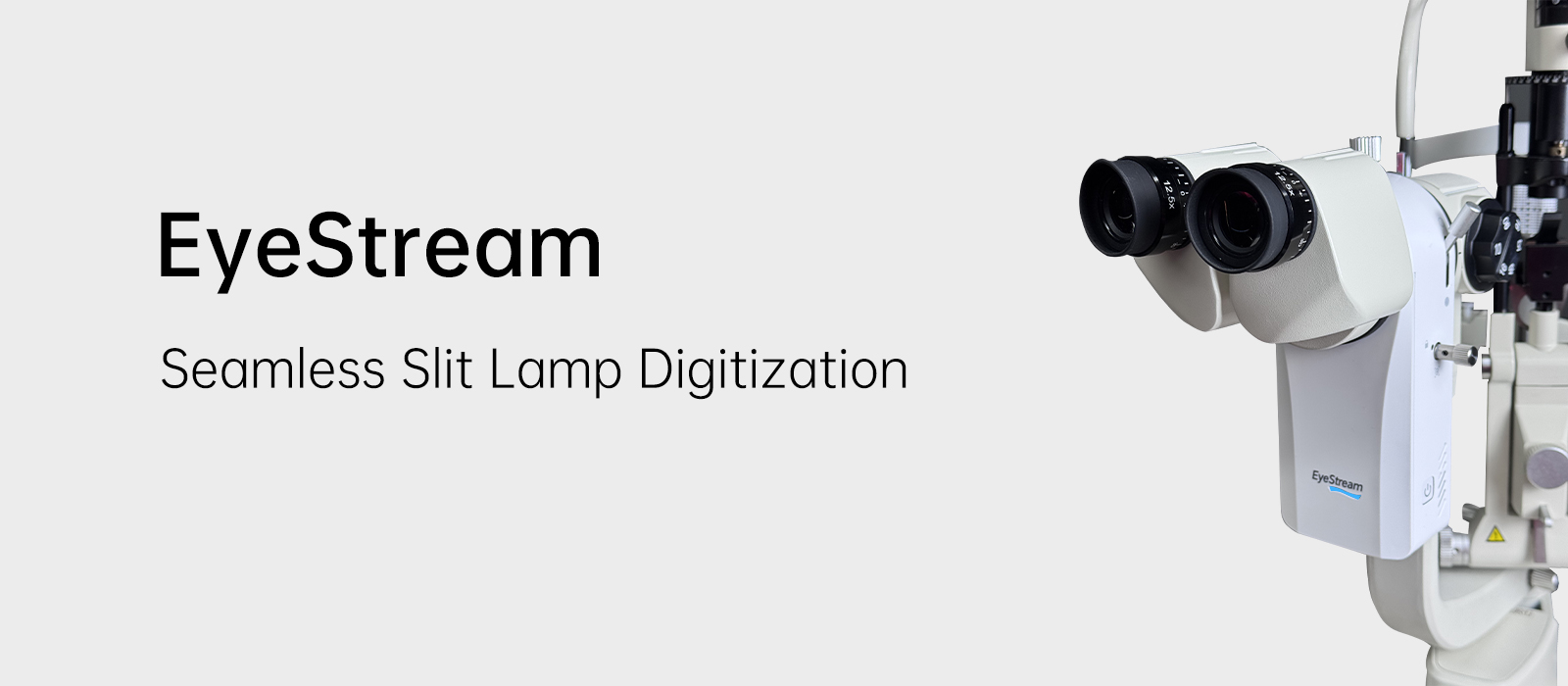
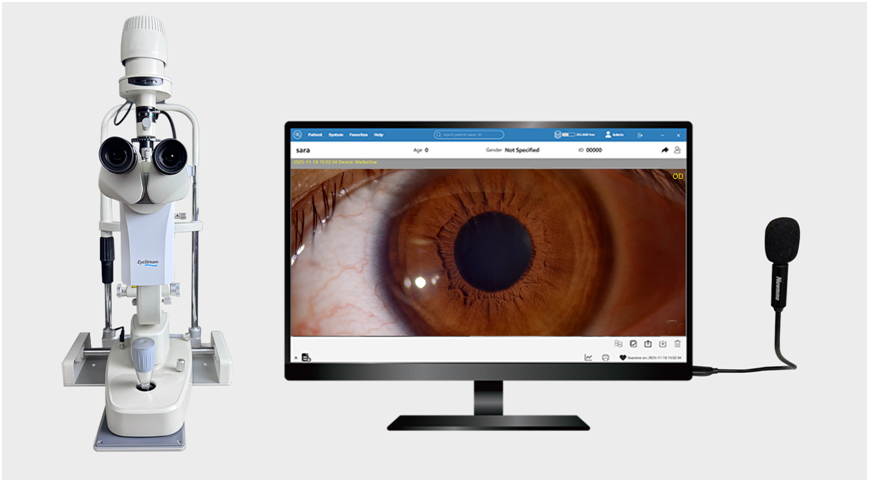
EyeStream is a compact slit lamp camera module designed to seamlessly upgrade traditional slit lamps into powerful digital imaging systems. Compatible with Haag-Streit, Topcon, and most standard slit lamp models, EyeStream enables eye care professionals to capture high-quality images and videos without investing in a completely new digital slit lamp. |
|
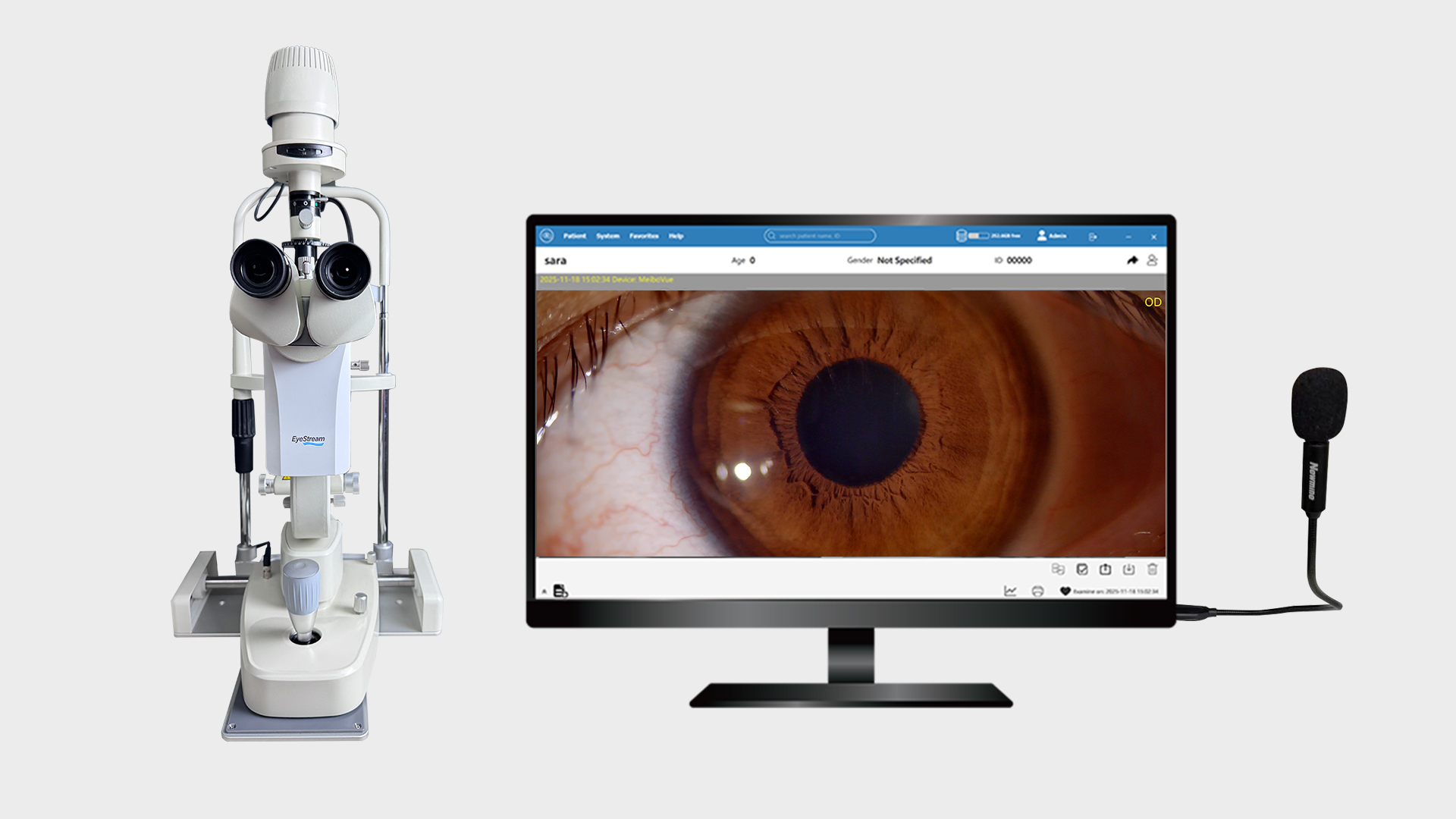 |
Voice Control Imaging
EyeStream supports voice-activated control for hands-free operation during slit lamp examination. Use simple commands to capture and switch modes:
Designed to keep the workflow uninterrupted and the focus on the patient. |
|
High-Resolution Image & Video Capture
|
 |
|
Eyepiece-to-Screen Focus Matching
EyeStream features a dedicated focus adjustment knob located on the side of the module. When installed on different slit lamps, clinicians can fine-tune the camera focus by simply rotating the knob. This ensures that the image displayed on the screen remains precisely aligned with the view through the eyepiece, enabling accurate, real-time visualization and reliable image capture. |
|
|
High-Quality Meibomian Gland Imaging
|
 |
|
Built-in Yellow Filter for Enhanced Fluorescein Visualization
|
|
|
VisuDoc for Systematic Patient Image Management
Images and videos captured by EyeStream are automatically stored and organized within the VisuDoc software. This enables clinicians to efficiently track disease progression over time and enhance patient education through clear visual documentation and comparison. |
| Upgrade Your Existing Slit Lamp to Digital Imaging EyeStream is a compact slit lamp camera module designed to seamlessly upgrade traditional slit lamps into powerful digital imaging systems. Compatible with Haag-Streit, Topcon, and most standard slit lamp models, EyeStream enables eye care professionals to capture high-quality images and videos without investing in a completely new digital slit lamp. |
|
Voice Control Imaging EyeStream supports voice-activated control for hands-free operation during slit lamp examination. Use simple commands to capture and switch modes:
Designed to keep the workflow uninterrupted and the focus on the patient. |
|
|
|
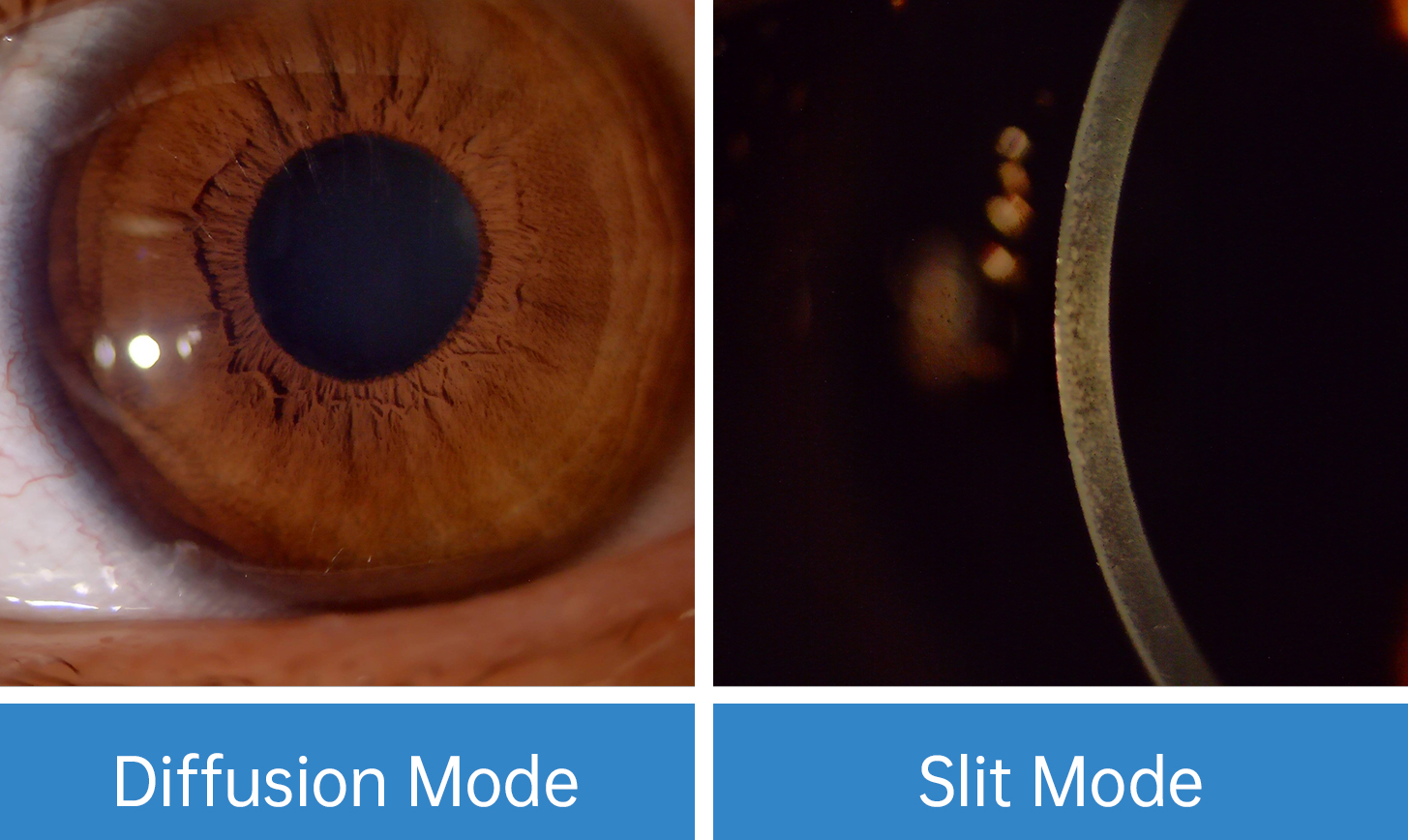
High-Resolution Image & Video Capture EyeStream offers two dedicated imaging modes for color photo and video acquisition: diffuse illumination mode and slit illumination mode. These optimized modes enable clinicians to capture clear, high-quality images under both wide-field diffused lighting and focused slit beam conditions, ensuring comprehensive visualization of anterior segment structures. |
|
|
|
Eyepiece-to-Screen Focus Matching EyeStream features a dedicated focus adjustment knob located on the side of the module. When installed on different slit lamps, clinicians can fine-tune the camera focus by simply rotating the knob. This ensures that the image displayed on the screen remains precisely aligned with the view through the eyepiece, enabling accurate, real-time visualization and reliable image capture. |
|
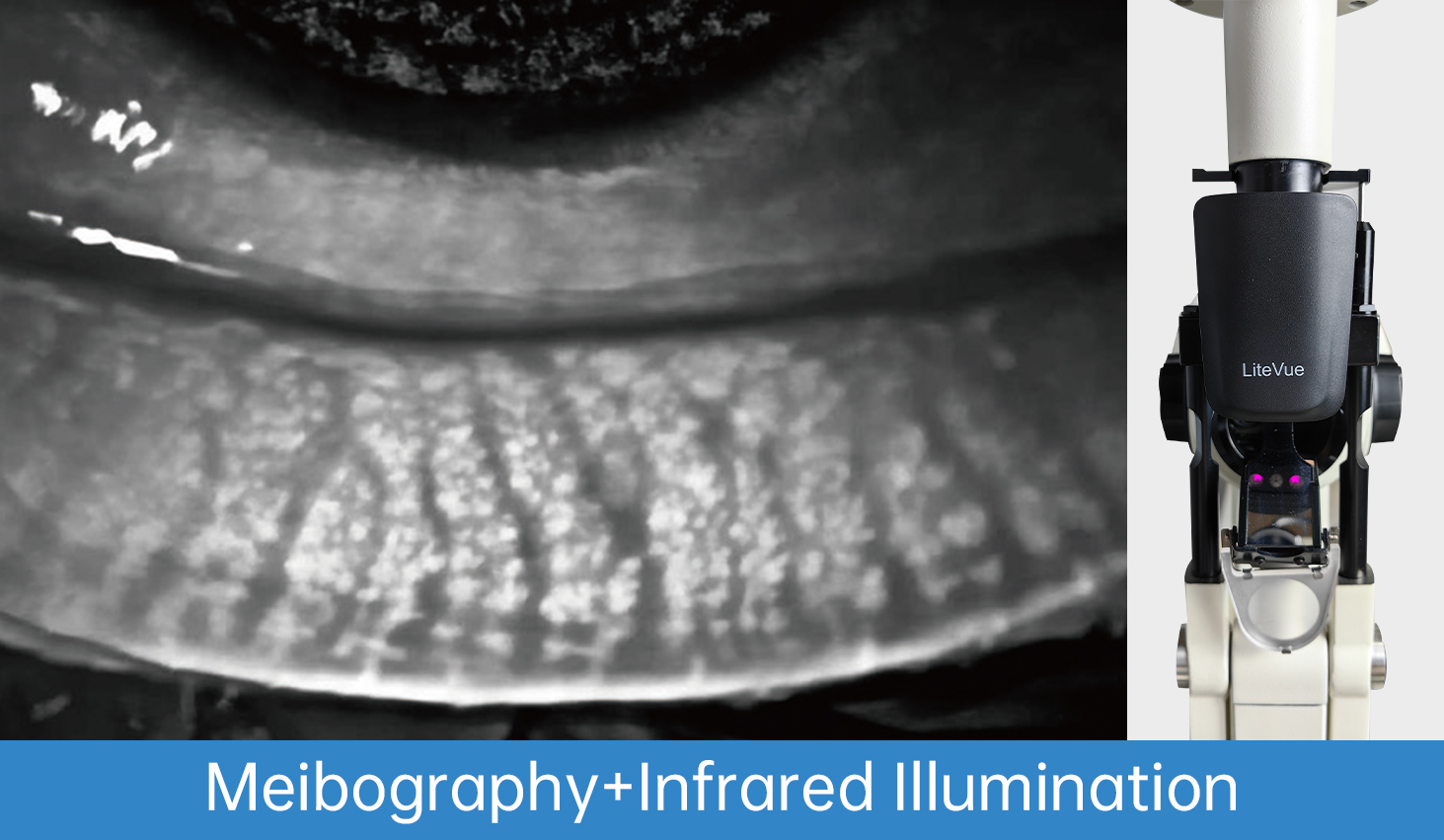
High-Quality Meibomian Gland Imaging EyeStream includes a dedicated meibography mode combined with an infrared background illumination module to capture high-resolution images and videos of the meibomian glands. This enables clinicians to clearly visualize gland structure and morphology, supporting accurate evaluation in dry eye diagnosis and management. |
|
|
Built-in Yellow Filter for Enhanced Fluorescein Visualization EyeStream features an integrated yellow filter that enhances the visibility of fluorescein staining. By improving contrast and reducing background glare, it enables clinicians to clearly observe corneal staining patterns, evaluate contact lens fitting, and assess tear film breakup time with greater accuracy. |
|
VisuDoc Assist for Systematic Patient Image Management Images and videos captured by EyeStream are automatically stored and organized within the VisuDoc software. This enables clinicians to efficiently track disease progression over time and enhance patient education through clear visual documentation and comparison. |




 CE Certified
 ISO 13485
 Global Support
Company Website
www.visuscience.com
Online Store
www.dryeyestartup.com
Content Library
https://contentlibrary.visuscience.com
Others
Contact us
Blog
Events
VisuScience Meditech co.,Ltd.
Add: Room 501, Ruiyun 5 No, 99 Furongzhongsan Rd.
Wuxi 214192, Jiangsu Province, China
Tel +86-0510-85757880
E-mail: info@visuscience.com
Follow us on